Doctolib: How to Schedule a Doctor’s Visit in France
How to Book a Doctor’s Appointment in France (Step-by-Step Guide)
Moving to France and need to see a doctor? Whether you’re an international student or an expat, finding medical help in a new country can feel overwhelming. Luckily, Doctolib makes the process quick and easy.
Doctolib is a popular website and mobile app used throughout France to book medical appointments online with general practitioners, dentists, specialists, and even for video consultations.
Here’s a simple, step-by-step guide to help you book your first appointment in France with confidence.
Step 1 – Go to the Doctolib website or app
Visit doctolib.fr on your browser or download the Doctolib app on your phone.
You can use it in English or French, but most doctor profiles are in French.
Step 2 – Search for a Doctor
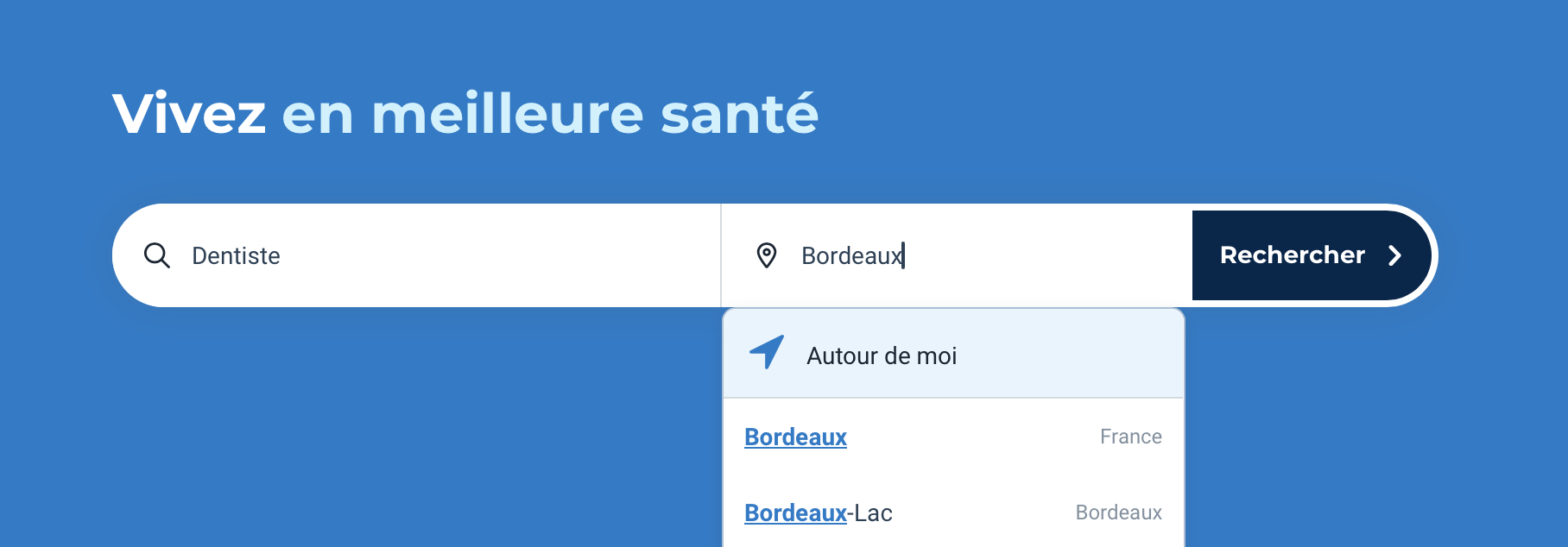
In the search bar, type the type of doctor you’re looking for (in French, for better results) and your location.
For example: “médecin généraliste” (general practitioner) or “dermatologue” (dermatologist).
You can also use filters to find doctors near your exact address.
Once you’ve entered your search, click “rechercher”.
Step 3 – Refine Your Search
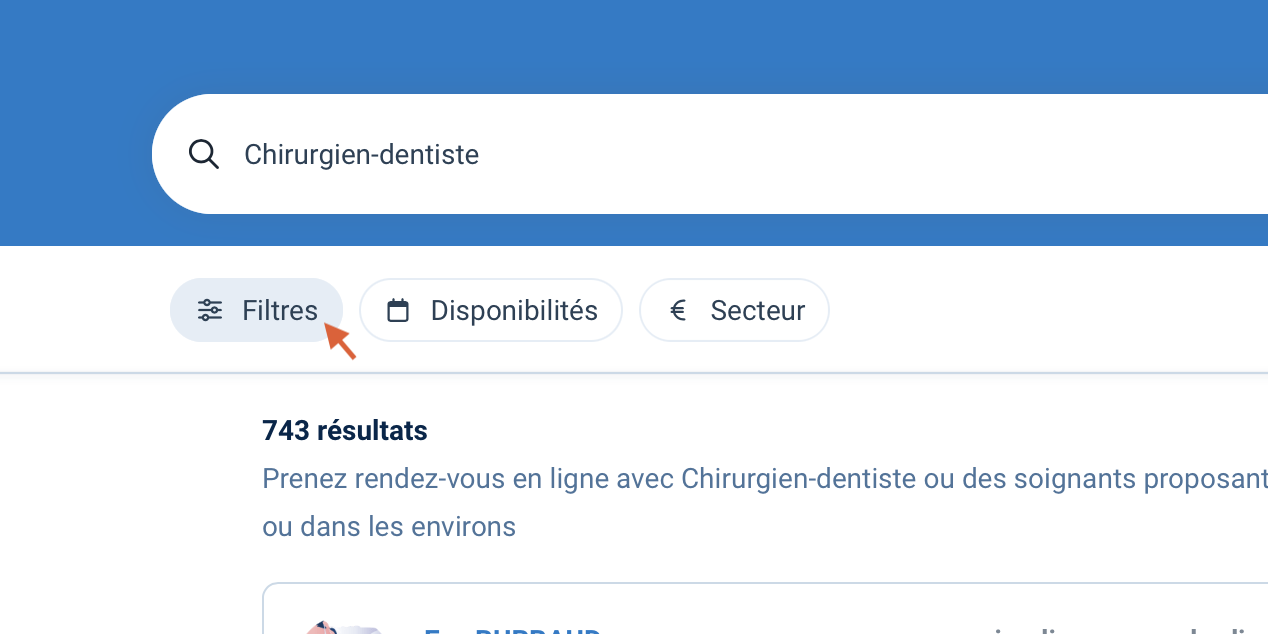
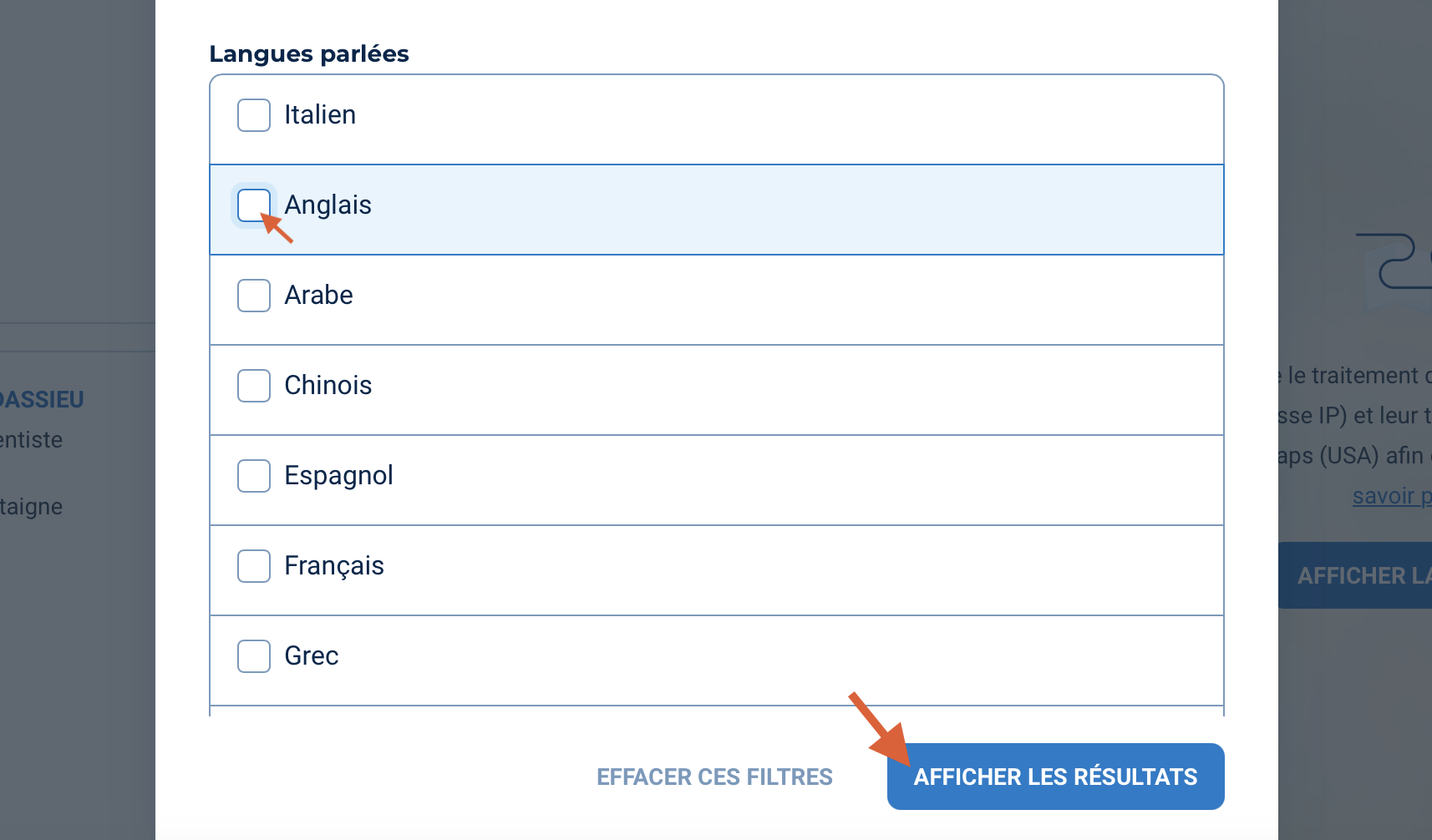
You can filter your search by language to find doctors who speak yours, which is helpful if you don’t speak French fluently. You need to click on “Filtres”, then in the pop-up window look for “Langues parlées” and select your preferred language.
Finally, click “afficher les résultats” to see available doctors.
Step 4 – Choose a Doctor and Time Slot
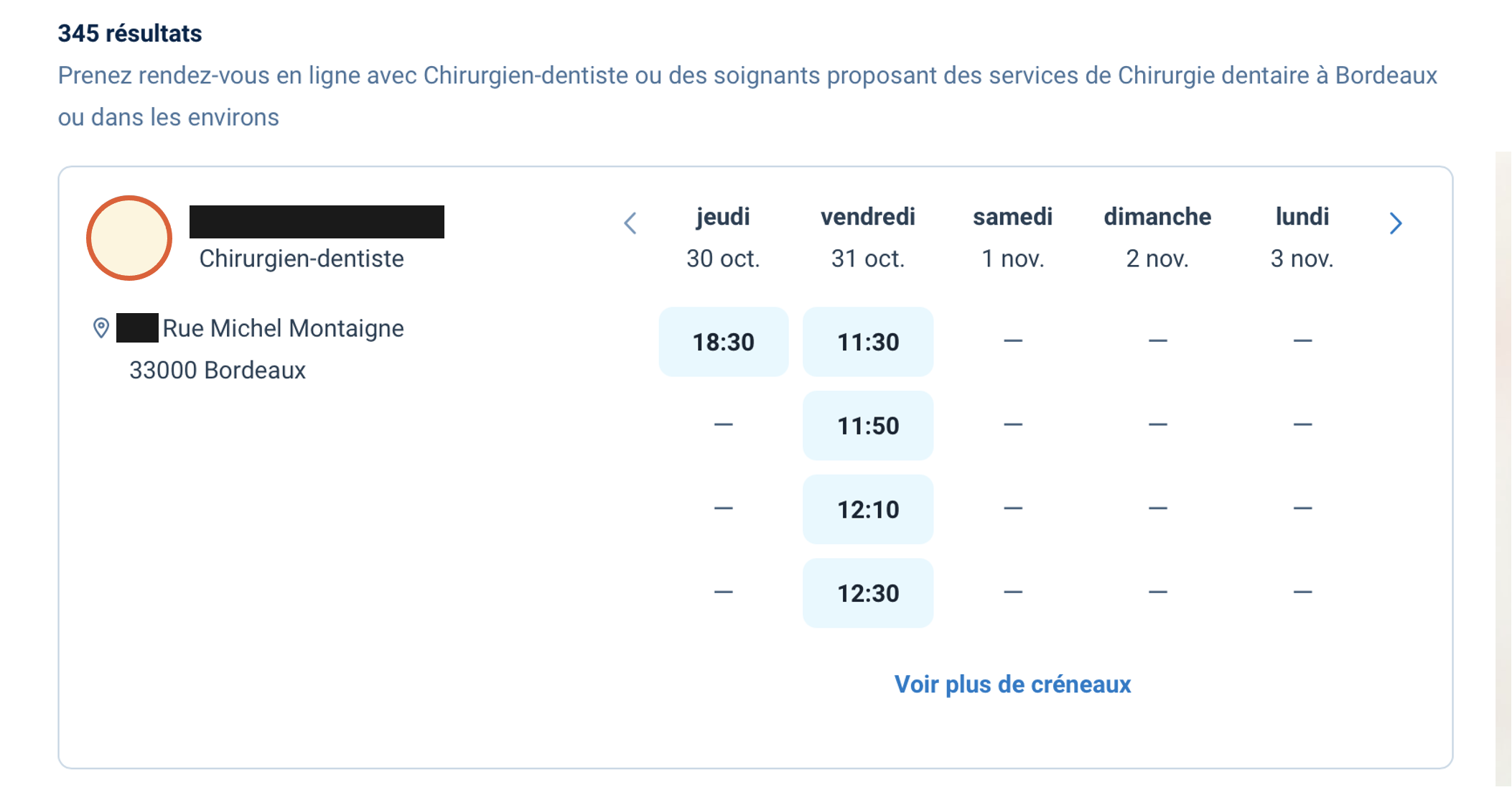
Once you’ve found a doctor you like, you’ll see their available time slots directly on the page. Simply click on the time slot that works best for you.
You can also click on the doctor’s name to view all the details you need, then click “Prendre rendez-vous” to see and choose a bit after your preferred time slot.
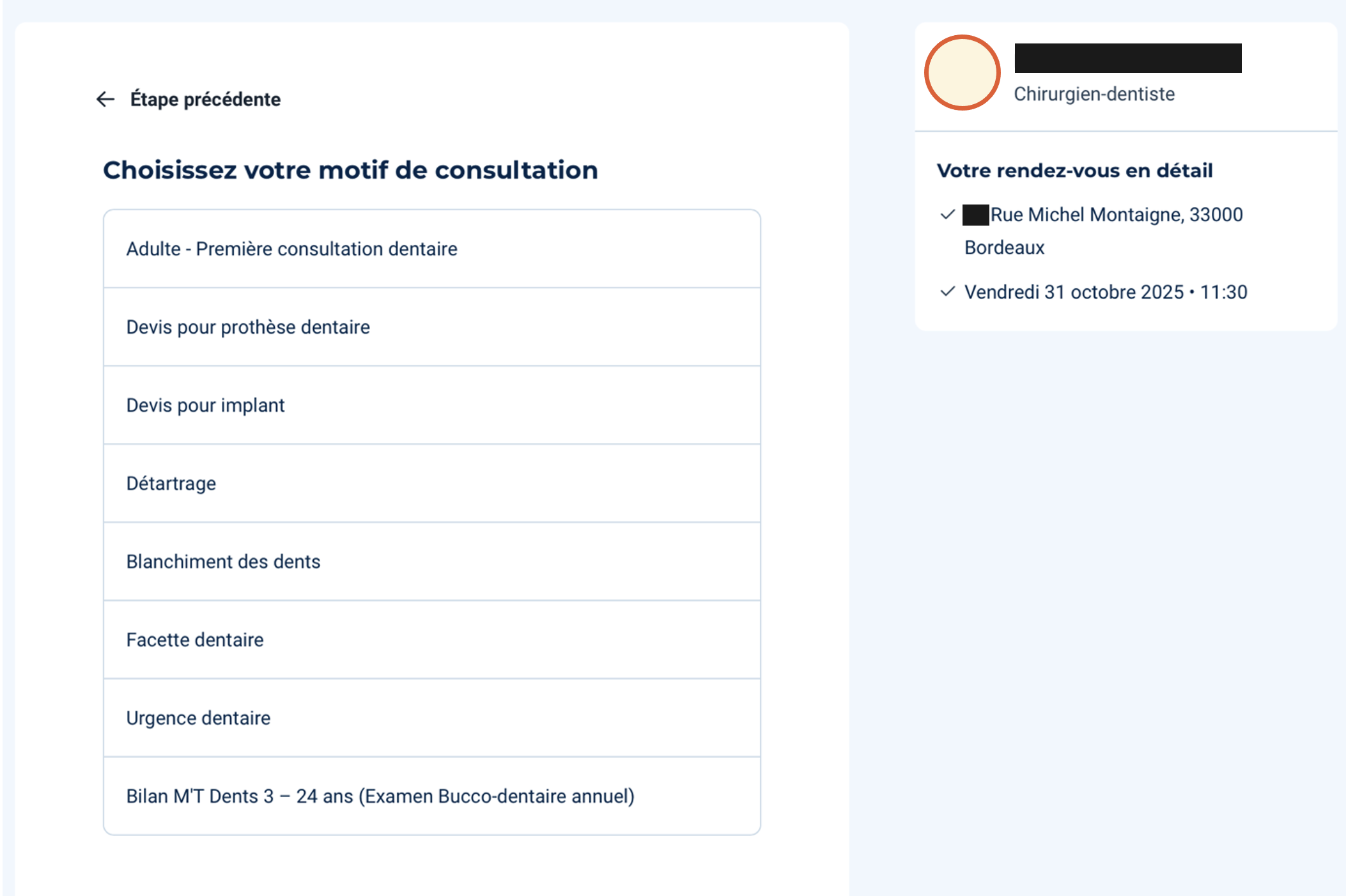
A short questionnaire will appear asking you to “Choisissez votre motif de consultation” (choose your reason for the appointment). Select the option that best fits your situation.
On the right-hand side, you’ll see a floating window showing key details such as the doctor’s name, specialty, location, and the time you selected.
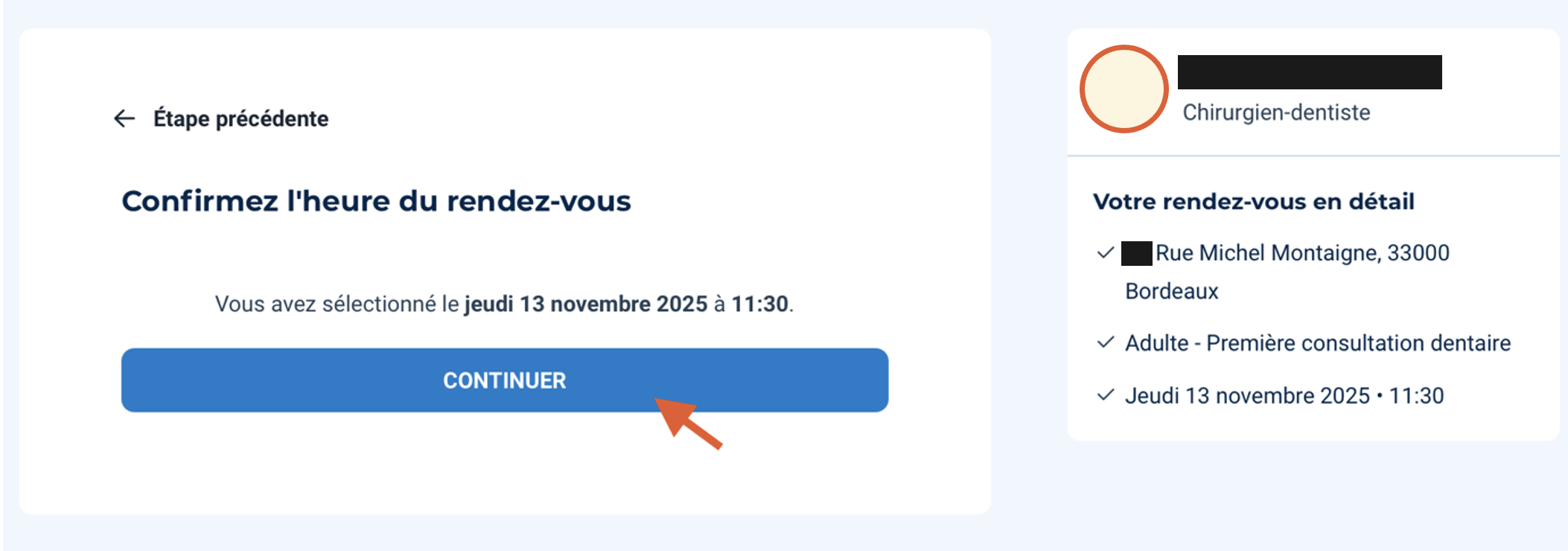
Next, under “Confirmez l’heure du rendez-vous”, check the selected date and click “continuer” to continue your bookind.
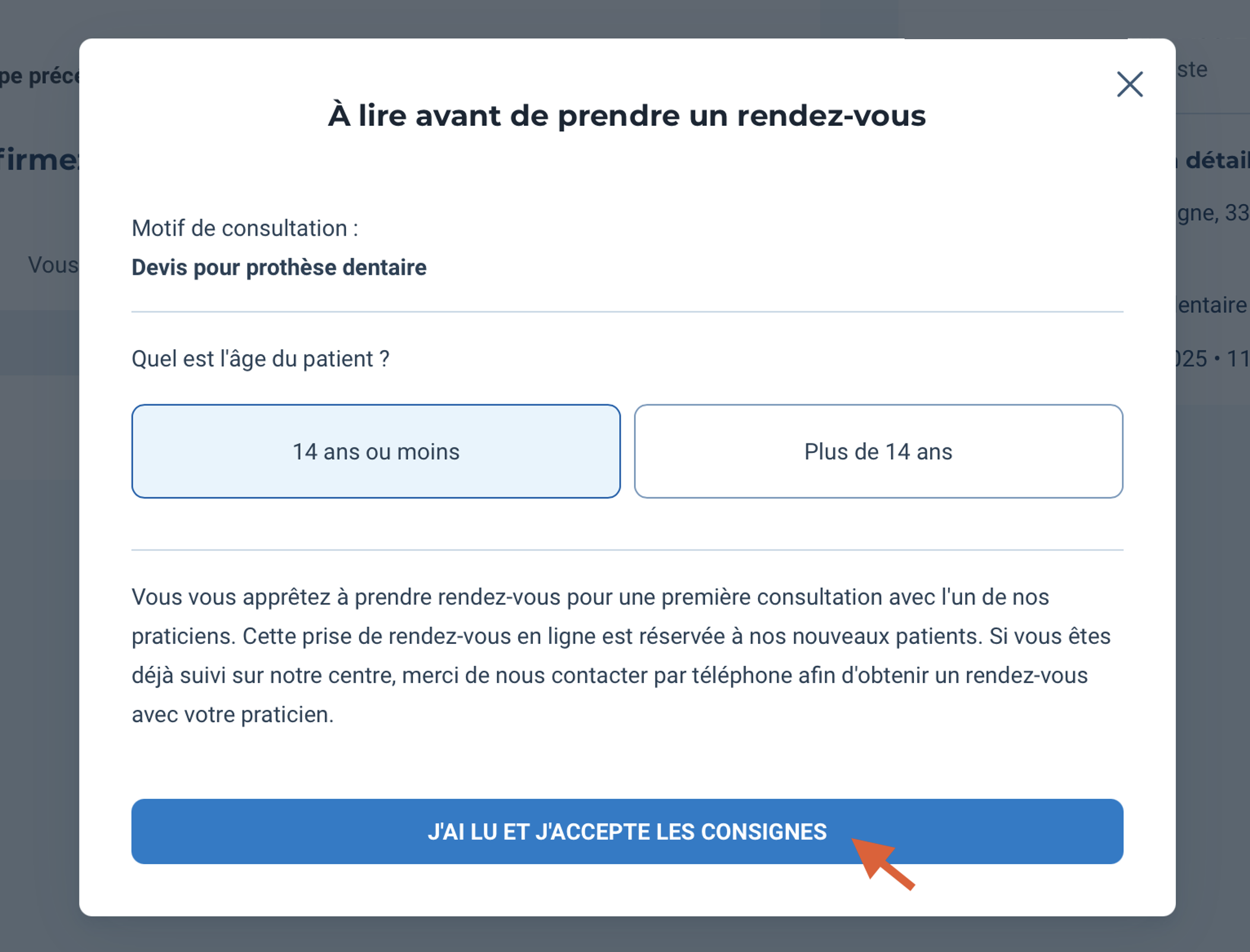
A pop-up window will appear to remind you of your chosen reason for the visit and ask “Quel est l’âge du patient?” (what is the patient’s age?). Choose between “14 ans ou moins” (14 or under) or “Plus de 14 ans” (over 14).
Finally, read the short notice that appears, tick “J’ai lu et j’accepte les consignes” (I have read and accept the instructions).
Step 5 – Create Your Account
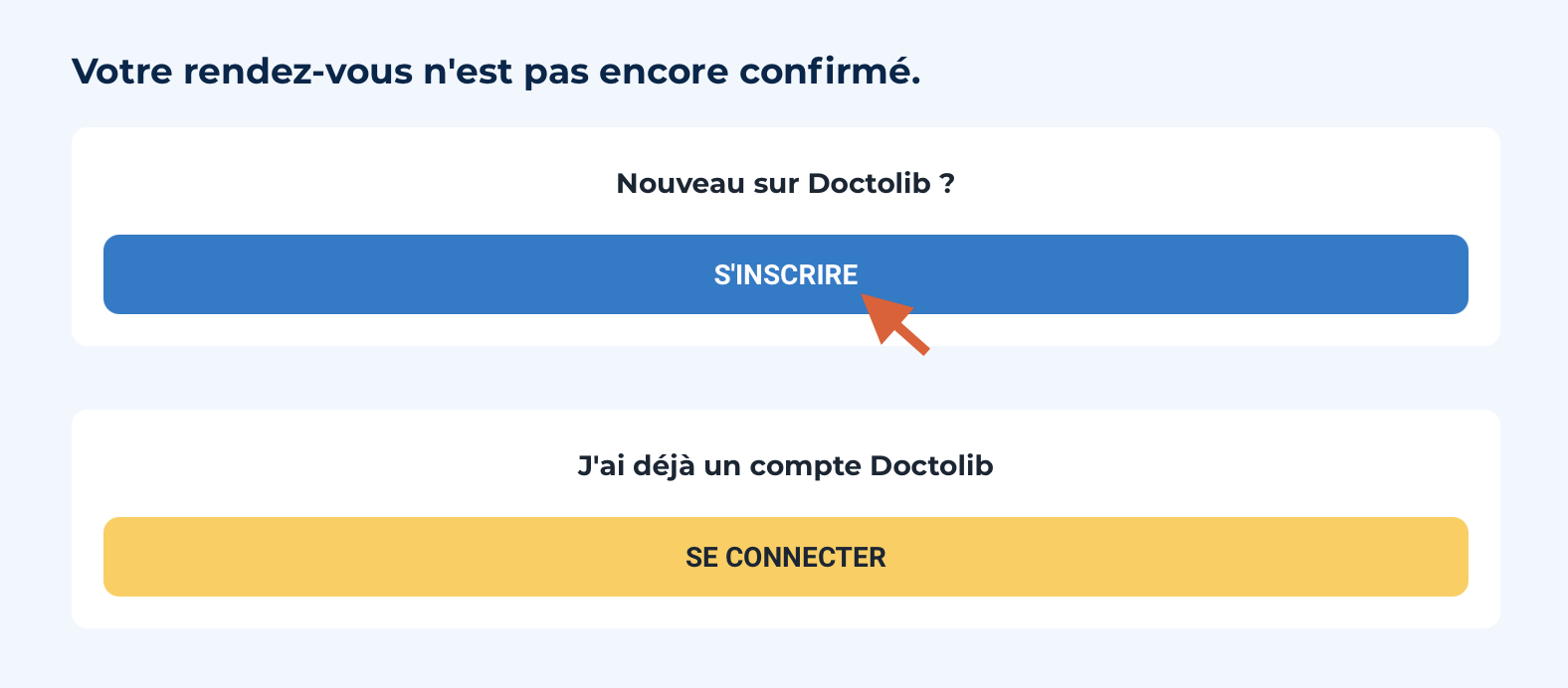
If it’s your first time on Doctolib, you’ll be asked to create an account.
You’ll need to enter some basic personal details such as your name, date of birth, and phone number.
You can also add family members to your account which is perfect if you’re booking for children or a partner.
Step 6 – Confirm Your Appointment
After finalizing your booking, you’ll receive an email confirmation.
Before your appointment, Doctolib will also send a reminder by text message or email, so you don’t forget.
And there you go! You made your appointment in France!
Good to Know
Emergency numbers in France:
15– SAMU (medical emergencies)
18– Firefighters
12– European emergency number
Booking a doctor’s appointment in France might seem intimidating at first, but with Doctolib, it’s simple, quick, and reliable. Whether you’re looking for a general practitioner or a specialist, you can find, book, and manage your appointments all in one place.
Need help settling into life in France or finding local healthcare options?